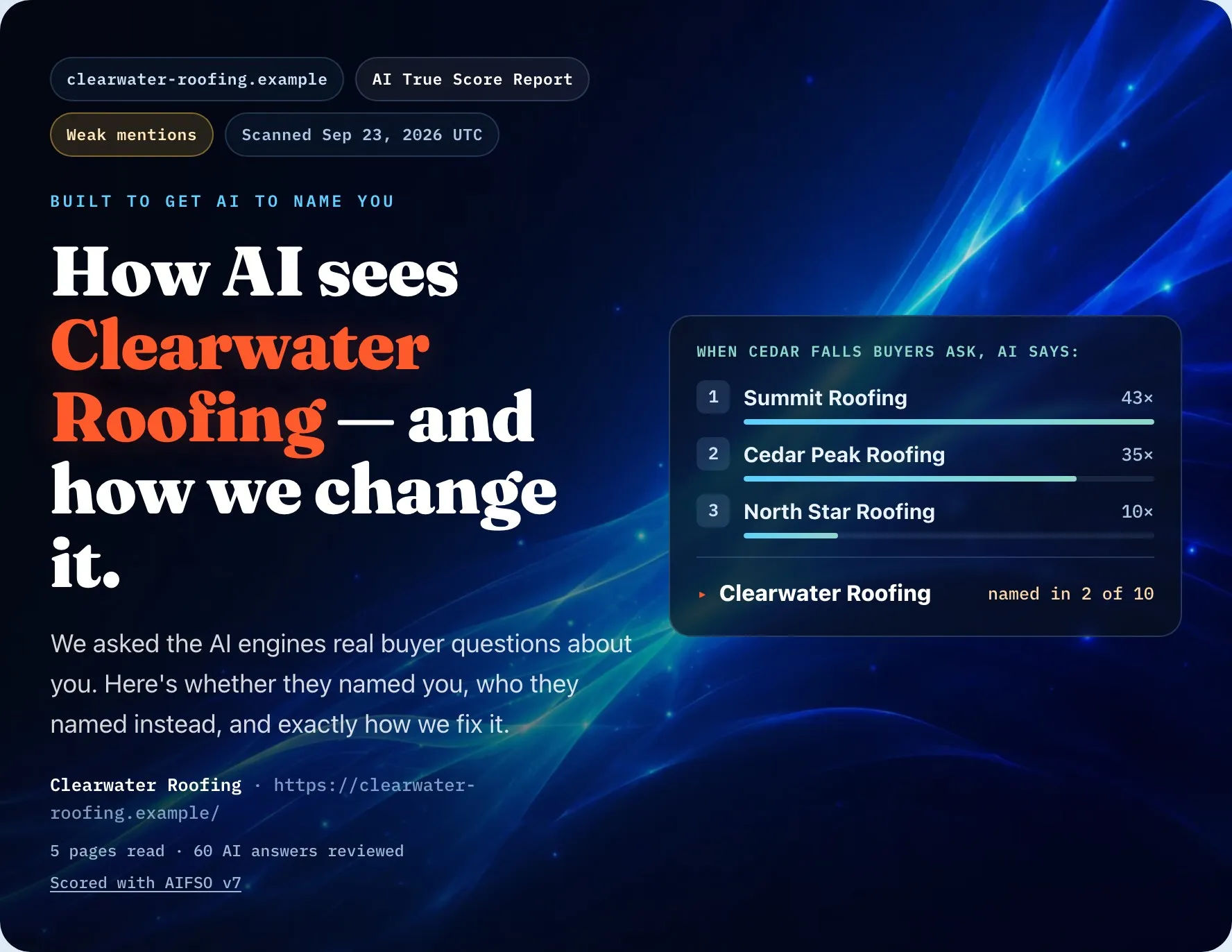
When someone asks an AI answer engine for “the best company near me” and your competitor’s name comes up instead of yours, it rarely means they run a better business. It usually means their site gives the AI more reasons to feel sure about naming them. (An answer engine is a tool like ChatGPT that writes one answer instead of a list of links; most run on an LLM, a large language model, the kind of AI that reads and writes text.) The good news: the reasons are mechanical, and most of them are on your side of the fence. Does this matter yet? Yes: buyers already ask AI who to call, and the check below shows you what it tells them.
Why isn’t my business showing up in AI answers?
Because AI can’t read, confirm or place your business as easily as it can a competitor’s: your site is hard for it to read, your facts don’t match, your pages don’t answer buyer questions, your proof is hidden, or your trade and towns are vague. Before you fix anything, see it for yourself.
Check it yourself in two minutes
- Open a private or incognito window, so the AI doesn’t answer from your own chat history.
- Ask ChatGPT the question a buyer asks, not your business name: “Who’s the best [your trade] in [your city]?”
- Ask the same question in one other AI engine. Each one answers differently.
- Write down who got named. Those names are your real competition for that question.
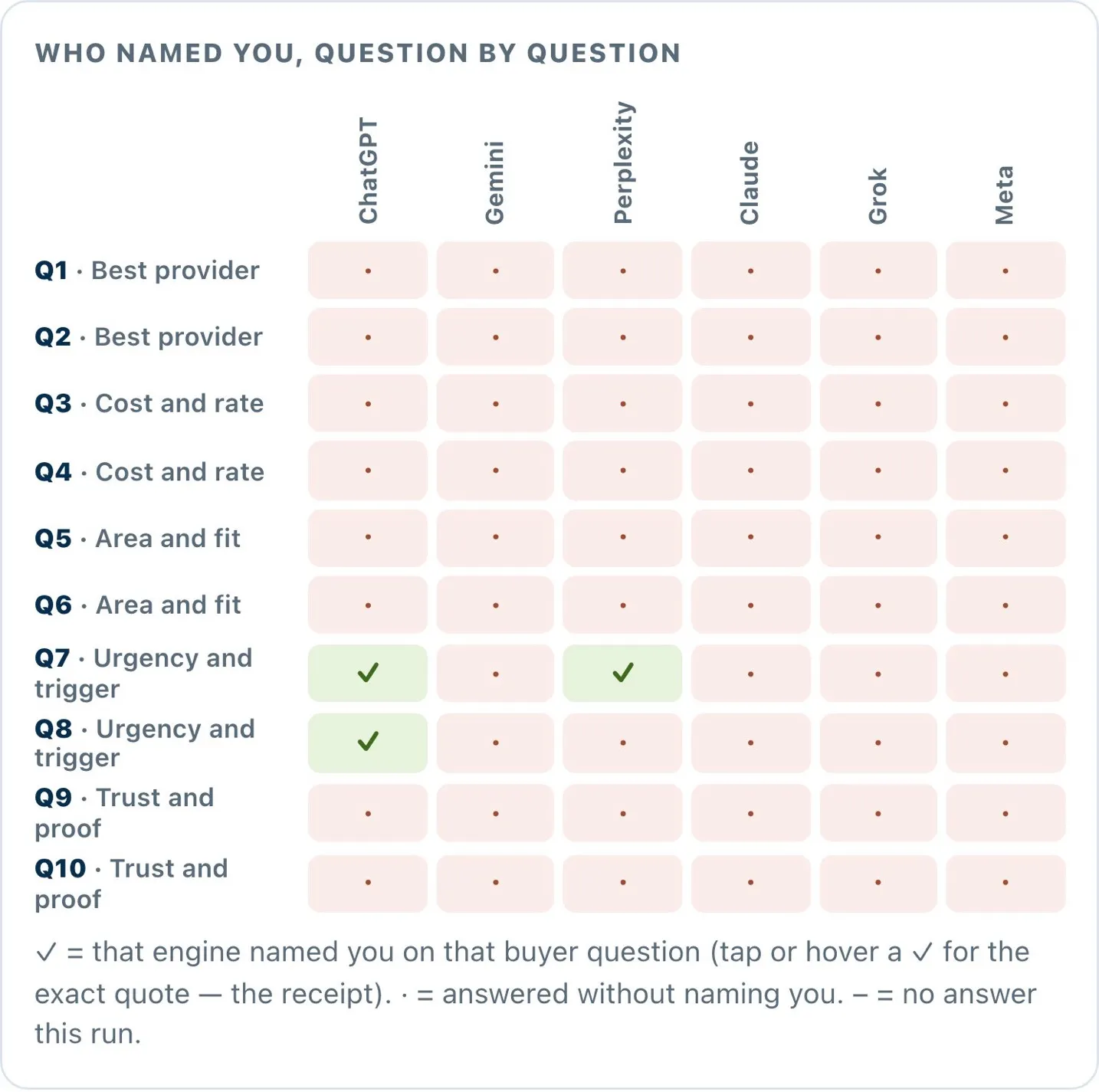
Real screenshot · the public sample report · fictional business, example data
That picture is the same check done at full size: every buyer question, every engine, and a tick only where the business was named. Whether you do it by hand or with a report, the pattern tells you which of the five reasons below you’re up against.
What keeps AI from naming a business?
Five things, and most sites have more than one. None of them needs a rebuild or a big budget. Each needs clarity.
Reason 1: AI can’t read your site
If an AI crawler (the program an AI company sends to read web pages) can’t reach or render your pages, you don’t exist to it. To render a page is to load it the way a browser does, scripts and all, and many crawlers don’t wait for that.
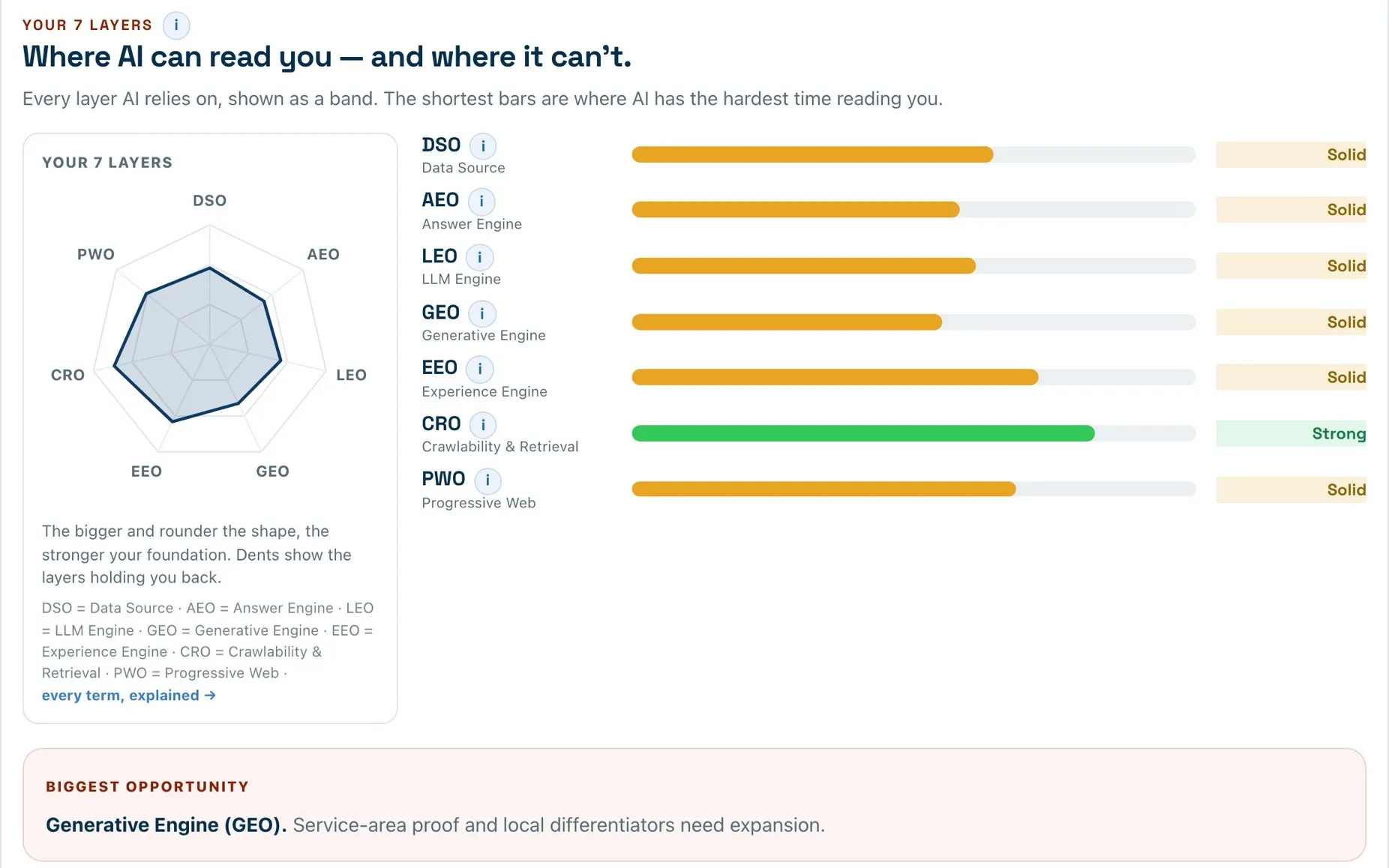
Real screenshot · the public sample report · fictional business, example data
This is the most overlooked reason, because the site looks fine to you. It loads in your browser, the photos are nice, the phone number is right there. But if your key facts live inside images, appear only after heavy scripts run, or sit behind a pop-up, the machine may never see them. Our guide to whether your website is AI-ready walks through the quick tests.
The fix: Highlight your phone number and your list of services on your homepage. If you can't select them, they're inside a picture, and AI can't read them. Retype them as real text on the page.
Reason 2: Your business facts don’t match
AI needs to know who you are, what you do, where you work and how to reach you, stated the same way everywhere.
If your name is slightly different on your site than in your listings, if your service area is vague (“we serve the greater metro area” with no towns named), or if your hours conflict from page to page, the AI has to guess. Answer engines don’t like guessing about facts. When in doubt, they name the business whose details are clear.
AI also reads what the rest of the web says about you: your Google Business Profile, review sites and directories. Those have to match your site. A different phone number on Yelp or old hours on your Google profile is one more reason for the AI to doubt which version is true. Here’s how your Google Business Profile affects AI answers.
The fix: Put your name, phone number and hours from your site, your Google profile and one review site side by side. Make all three identical, then ask your web person to add LocalBusiness schema: a short block of code that labels those facts so a machine can't misread them.
Reason 3: Your pages don’t answer buyer questions
If your site is full of slogans but thin on direct answers, there’s nothing for the AI to lift.
Buyers ask specific questions: “Do you offer emergency service?” “What areas do you cover?” “Are you licensed and insured?” “How much does a typical job cost?” When an answer engine writes its reply, it pulls from pages that answer those questions plainly. “Quality you can trust since 1998” sounds nice but tells the AI almost nothing it can use.
The fix: Write down the questions customers ask you most on the phone. For each one your site doesn't answer in a sentence, add that answer to the relevant page, with the answer first and the detail after.
Reason 4: AI can’t see proof it can trust
AI is careful about recommending a business it can’t verify, because a bad recommendation reflects on the tool.
Licenses, insurance, reviews, guarantees you actually offer and clear contact details all tell an answer engine you’re a safe name to give. When that proof is missing or buried on a page nobody links to, the AI has less reason to back you, especially for “best” or “most trusted” questions, which are the ones buyers ask right before they call.
The fix: Look at the page that describes your main service. If your license number, proof of insurance and at least three reviews with the customer's name aren't on it, add them there, next to the work they back up.
Reason 5: AI can’t place your trade and towns
The AI needs to place you: this trade, these towns, these services. Vague positioning gets filtered out.
If your site tries to be everything to everyone, or never plainly says “we are a roofing company serving Colorado Springs,” the AI struggles to match you to the question being asked. Buyers ask local, specific questions, and the businesses that are clearly placed for them get named. Our pages for roofers and other trades list the questions buyers in each trade ask AI, and our guide to answer engine optimization shows how all of this fits together.
The fix: Read the first sentence of your homepage. If it doesn't name your trade and the towns you serve, rewrite it so it does, for example: "We're a roofing company serving Colorado Springs and Monument."
Is it my fault, or is the AI just wrong?
A bit of both, but the part you control is the part that matters. Sometimes an AI gets it wrong: it names a business outside your area or misses an obvious local option. Engines can even disagree with each other. When we checked our own name, one engine described us correctly while Google’s AI Overview named other companies. You can’t fix the model. You can fix the evidence it relies on, and that starts today.
No one can guarantee that an AI will name you, and you should be wary of anyone who promises it. What a clear, consistent, well-proven site does is remove the reasons to leave you out, which is the part that is in your control.
How do I fix it?
Find out which of the five reasons apply to you, then fix them in order.
- Get a baseline. Do the two-minute check above, or run the free AI True Score Glimpse: it asks AI real buyer questions and shows whether it names you, who it names instead, and your first fix.
- Fix the reading problems first. Readable pages and matching facts come before new content. There’s no point answering questions on a page the AI can’t read.
- Answer the real questions your buyers ask, directly and plainly.
- Put your proof where it backs up your claims.
- Measure again in a few weeks. AI engines re-read the web on their own schedule, so no one can promise a date. Every AI True Score Full Report includes one free follow-up check, and you get an email saying what changed.
For the full picture, the AI True Score Full Report asks the questions your buyers ask, on every engine in our report, and shows who each one names. It also runs the checks in our report on your site and puts the fixes in order. Our How It Works page walks through the process.
Should I fix it myself, buy a tool, or hire someone?
Fix what you can yourself first: most of the five fixes above are things you, or whoever manages your site, can do without hiring anyone. If you then want help, our comparison of AI visibility tools and agencies sets out what each costs, what you get and who it suits.
The short version: start with a free check, fix what you can yourself, and only pay a tool or a team once you know exactly what you’re paying them to fix.
The bottom line
Being left out of AI answers feels personal, but it’s mechanical, and mechanical problems have fixes. The businesses getting named aren’t always the biggest or the oldest. They’re the ones that made themselves easy to read, confirm and place.
See which of the five reasons are holding you back: get your free AI True Score Glimpse.
Keep reading: Is my website AI-ready? · How to check if ChatGPT recommends your business